



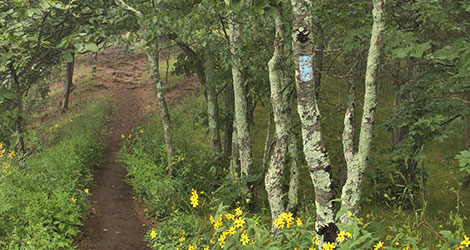
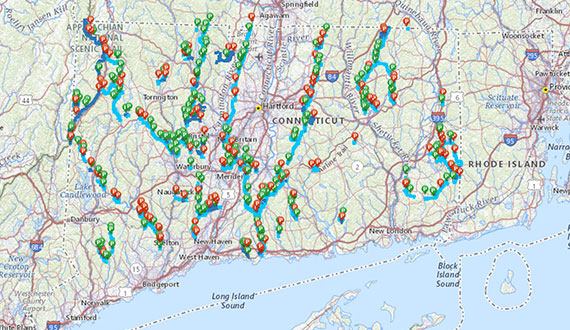
Plan your next hike on the Blue-Blazed Hiking Trails. Our free interactive map shows the trails, trailheads, and parking across the state, so you can plan your outing at home and find your way once you’re out there.
Tip: On a phone, full screen gives you the easiest map navigation.
Before You Go
Everything you need for a safe, well-planned hike.



Help Keep Trails Open
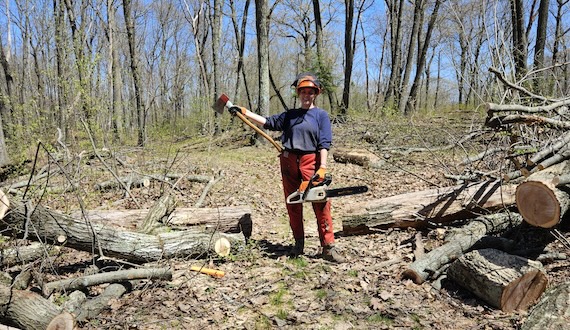
This map is free for everyone. It’s made possible by CFPA members, donors, and the volunteers who keep more than 825 miles of trail blazed, cleared, and open.


Frequently Asked Questions
Still have questions? Email us at info@ctwoodlands.org
How do I use the map?
- Open the full-screen map, or use the map above.
- Search for a trail or town, or zoom in to the area you want to explore.
- Tap a trail to see its name and details.
- Tap a parking icon (P) to see the trailhead and get directions.
Is the trails map free?
Yes. The interactive map is free for everyone, on any phone or computer.
Does the map work without cell service?
The map needs a data connection to load, and service can be spotty in Connecticut’s forests. Before you go, open the map to your trail while you have a signal, take screenshots of the area, or bring the Connecticut Walk Book.
Can I reach the trails by public transit?
Tap a parking icon, then choose Get Directions to open Google Maps. Select the transit option to see bus and train routes from your location to the trailhead.
Who takes care of the Blue-Blazed Hiking Trails?
The Connecticut Forest & Park Association created the Blue-Blazed Hiking Trail System in 1929. Today, CFPA staff and volunteer trail maintainers keep the trails marked and cleared, in partnership with the state, towns, land trusts, and private landowners.
How do I know if a trail is closed?
Check Trail Notices before you head out. It lists current closures, reroutes, and conditions across the trail system.